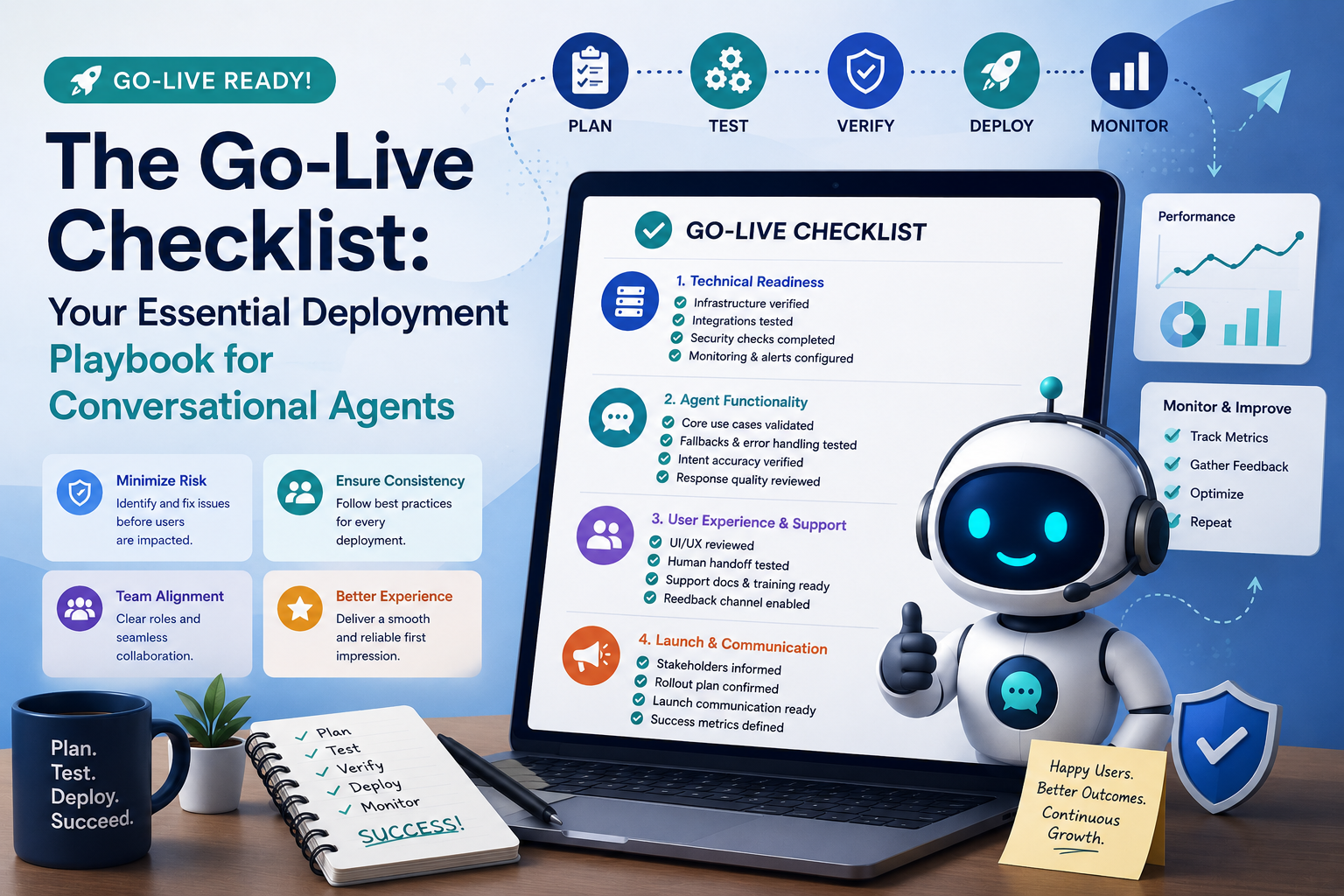
The Go-Live Checklist: Your Essential Deployment Playbook for Conversational Agents
📌 What you'll learn today
This guide will walk you through the critical steps of a 'Go-Live Checklist' for deploying conversational agents, ensuring a smooth and successful launch.
Deployment Playbook: Go-Live Checklist for Conversational Agents
You've spent countless hours designing, developing, and testing your conversational agent. You've trained it on vast datasets, refined its dialogue flows, and ensured it can handle a wide range of user queries. Now comes the most exhilarating, and perhaps nerve-wracking, phase: Go-Live. Deploying a conversational agent isn't just about flipping a switch; it's a strategic process that requires meticulous planning and execution. This is where your Go-Live Checklist becomes your most valuable asset.
Think of your Go-Live Checklist as the final inspection before a major product launch or a critical surgery. It’s a structured set of tasks designed to verify that every component is in place, every contingency is considered, and every team member knows their role. Without a comprehensive checklist, you risk overlooking crucial details, leading to technical glitches, poor user experiences, or even a complete failure of your agent's launch.
Why a Go-Live Checklist is Non-Negotiable
The complexity of modern conversational agent deployments, often involving multiple integrations, cloud infrastructure, and real-time data feeds, makes a checklist indispensable. Here’s why:
- Minimizes Risk: It systematically identifies and mitigates potential issues before they impact users.
- Ensures Consistency: It standardizes the deployment process, ensuring that every launch adheres to best practices.
- Facilitates Collaboration: It clearly defines roles and responsibilities for different teams (e.g., development, operations, support, marketing), fostering seamless teamwork.
- Boosts Confidence: A thorough checklist provides a sense of control and confidence for the entire team involved.
- Improves User Experience: By ensuring all aspects are tested and ready, it guarantees a positive first impression for your users.
Core Components of a Conversational Agent Go-Live Checklist
While every deployment is unique, a robust Go-Live Checklist generally covers several key areas. Let's break down some of the most critical:
1. Technical Readiness and Infrastructure
This section focuses on ensuring the underlying technology and infrastructure are robust, secure, and scalable.
- Environment Verification: Confirm that the production environment mirrors the staging environment where extensive testing was performed. This includes verifying server configurations, database connections, and API endpoints.
- Scalability Testing: Ensure the infrastructure can handle the anticipated user load. This might involve stress testing to determine maximum capacity and setting up auto-scaling rules. Example: If you expect 10,000 concurrent users, verify that your servers can handle this load without performance degradation.
- Security Audits: Confirm that all security protocols are in place and have been recently audited. This includes data encryption, access controls, and compliance with relevant regulations (e.g., GDPR, HIPAA).
- Integration Checks: Verify that all third-party integrations (e.g., CRM systems, knowledge bases, payment gateways) are functioning correctly in the production environment. This is a common area for Go-Live failures. Example: Test a full user journey that requires fetching customer data from your CRM and updating it.
- Monitoring and Alerting: Ensure that comprehensive monitoring tools are configured to track agent performance, uptime, error rates, and key business metrics. Crucially, verify that alerts are set up for critical issues and are routed to the appropriate teams.
2. Agent Functionality and Performance
This is about the conversational agent itself – its ability to understand, respond, and achieve its intended goals.
- Core Use Case Validation: Run through all the primary conversational flows that the agent is designed to handle. This means simulating real user interactions for every key task.
- Fallback and Error Handling: Test how the agent responds when it doesn't understand a query or encounters an error. Ensure graceful fallback mechanisms are in place, such as offering to transfer to a human agent or providing alternative solutions. Example: Intentionally provide an ambiguous or out-of-scope question and confirm the agent handles it appropriately.
- Intent and Entity Recognition Accuracy: While thoroughly tested during development, a final check in the production environment can catch subtle discrepancies. Ensure the agent is correctly identifying user intents and extracting relevant entities.
- Response Quality and Tone: Verify that the agent's responses are clear, concise, helpful, and align with the brand's voice and tone. This includes checking for grammatical errors or awkward phrasing.
- Performance Benchmarks: Ensure the agent's response times meet the defined Service Level Agreements (SLAs). Slow responses can frustrate users and lead to abandonment.
3. User Experience and Support Readiness
Beyond the technical aspects, this focuses on the end-user's interaction and the support structure around the agent.
- User Interface (UI) Review: If your agent has a visual interface (e.g., a chat widget on a website), conduct a final review to ensure it's functioning correctly, looks as intended, and is accessible.
- Onboarding and Guidance: If users need guidance on how to interact with the agent, ensure any introductory messages or help prompts are clear and visible.
- Human Agent Handoff: If the agent is designed to escalate to human agents, ensure the handoff process is seamless. This includes passing relevant context and conversation history to the human agent.
- Support Documentation and Training: Ensure that customer support teams are fully trained on the agent's capabilities, limitations, and the escalation process. Any relevant internal documentation should be updated and accessible.
- Feedback Mechanisms: Confirm that mechanisms for users to provide feedback on their experience with the agent are in place and functional. This is vital for ongoing improvement.
Real-World Company Example: "AuraHealth" - Enhancing Patient Support
AuraHealth, a leading telehealth provider, recently deployed a new AI-powered conversational agent to handle appointment scheduling, prescription refill requests, and basic health FAQ inquiries for its patients. Their Go-Live Checklist was instrumental in ensuring a smooth transition. They meticulously checked all integrations with their Electronic Health Record (EHR) system to guarantee accurate patient data retrieval and update. Their checklist also included rigorous testing of the human agent handoff process, ensuring that all relevant patient history was passed seamlessly, reducing patient frustration. Post-launch, AuraHealth reported a 25% reduction in call wait times for common queries and a 15% increase in patient satisfaction scores within the first month, directly attributable to the well-executed deployment guided by their Go-Live Checklist.
Key Takeaways for a Successful Go-Live
Deploying a conversational agent is a milestone, but its success hinges on preparation. Your Go-Live Checklist isn't just a document; it's a strategic framework that ensures your hard work translates into a valuable and positive user experience. Prioritize thoroughness, involve the right stakeholders, and treat each item on your checklist with the utmost importance. A well-executed Go-Live sets the stage for ongoing success and continuous improvement of your conversational AI solution.
⭐ Key Takeaways
- ✓A Go-Live Checklist is essential for minimizing risk and ensuring a consistent, successful deployment of conversational agents.
- ✓Technical readiness involves verifying infrastructure, scalability, security, integrations, and robust monitoring.
- ✓Agent functionality checks include validating core use cases, error handling, intent recognition, and response quality.
- ✓User experience readiness covers UI, onboarding, seamless human agent handoff, and support team preparedness.
- ✓Thorough testing and preparation guided by a checklist are critical for positive user adoption and achieving desired business outcomes.
About the Author

🌍 Real-World Example
AuraHealth, a telehealth provider, used a detailed Go-Live Checklist to launch its AI agent for appointment scheduling and refills. They verified EHR integrations and human agent handoff, resulting in a 25% reduction in wait times and a 15% increase in patient satisfaction.
🧠 Quick Knowledge Check
Q1. What is a primary benefit of using a Go-Live Checklist for conversational agent deployment?
Q2. Which of these falls under the 'Technical Readiness and Infrastructure' section of a Go-Live Checklist?